
Frequently Asked Questions
There is no secret; to learn a new language, you have to put in lots of time and energy. Unfortunately, even the most organized students can lack motivation as a result of learning generic or outdated lessons. This is where Sapere, our AI-powered language learning platform, comes into play!
Sapere allows you to learn faster, primarily due to:
- Personalized lessons and exercises tailored to your profession and needs, based on situations you face on the regular.
- The use of various resources: in both written and audio form.
Sapere suggests educational content as well as exercises that are completely customized to the student’s profile, for a more motivating and efficient learning journey. Additionally, our AI tool generates both written and spoken exercises to diversify a student’s competencies. By offering personalized study materials and homework to do in between online classes, Sapere accelerates the learning process.
Students can also take advantage of conversational agents to review their lessons, practice speaking in the language they're studying, or request exercises.
Here at Sapere, we do not want AI to replace the invaluable experience of second language teachers. What we do believe, however, is that tools powered by AI allow teachers to save time, all while enriching their current educational practices. With many resources at their disposal, Sapere generates exercises, activities and course material entirely based on the student’s language level, profession, hobbies and needs. Artificial intelligence allows for the creation of customized educational tools that enhance language learning.
In addition, Sapere was developed for educational purposes. This means that the AI does not simply indicate if answers are right or wrong, it also offers basic corrections and explanations that teachers can then lean on during their next class. By accessing the student’s activities and progress, the teacher can adjust their teaching methods whenever they need.
By using Sapere, a language teacher and their student can generate listening or reading comprehension exercises, written or oral expression exercises, specific vocabulary lists and role-playing / case study activities that encourage conversation.
Here is a list of exercises that Sapere offers:
- Multiple choice questions
- Fill-in-the-blanks
- Error corrections
- Listening comprehension with audio files
- Oral expression exercises
- Role-playing
Students can also take advantage of conversational agents to review their lessons, practice speaking in the language they're studying, or request exercises.
To create your account, click Get Started. You'll be guided through a short onboarding journey that will allow us to personalize your experience: language to study, estimated level, professional field, and areas of interest. Once your profile is complete, enter your personal information. You will then receive a confirmation email to verify your account.
48-Hour Free Trial
As soon as you create your account, you’ll have 48 hours of free access to test all the features, including interactions with chatbots and the creation of personalized learning paths and exercises.
If you like the platform and would like to continue learning, we invite you to check out our subscription plans.
Creating an account gives you free access to Sapere for 48 hours so you can try out all its features. If you are unable to generate exercises, your free access may have expired.
To continue learning, we recommend checking out our subscription plans.
The Sapere scale is an 18-level system that precisely pinpoints your language skills, from your very first word to full mastery. We created it because the CEFR's six levels (A1 to C2) are too broad: you can stay within one for months without your real progress being recognized. By tripling the number of stages, the Sapere scale makes every step forward visible and measurable, which also helps keep motivation intact. Learn more about the Sapere scale.
Yes, it is possible to use Sapere by yourself: you can learn vocabulary, create exercises for yourself or do the exercises your teacher assigned you. Better yet, you can create personalized learning paths consisting of lessons, exercises, and quizzes.
If you catch any errors on the website, please write a suggestion or report a bug using the tool on the bottom right corner of the screen.
Yes, you can create your own exercises. To do so, simply head to the “Exercises” tab, choose the type of exercise you want to generate, and fill out (or not, it is up to you) the remaining fields. Even if you do not provide any additional instructions when creating the activity, the AI will customize it based on your profile. In a few short seconds, your exercise will be ready, and you can get to practicing!
You will always be able to see who prompted the AI to generate the exercise: you, your teacher, or Sapere itself.
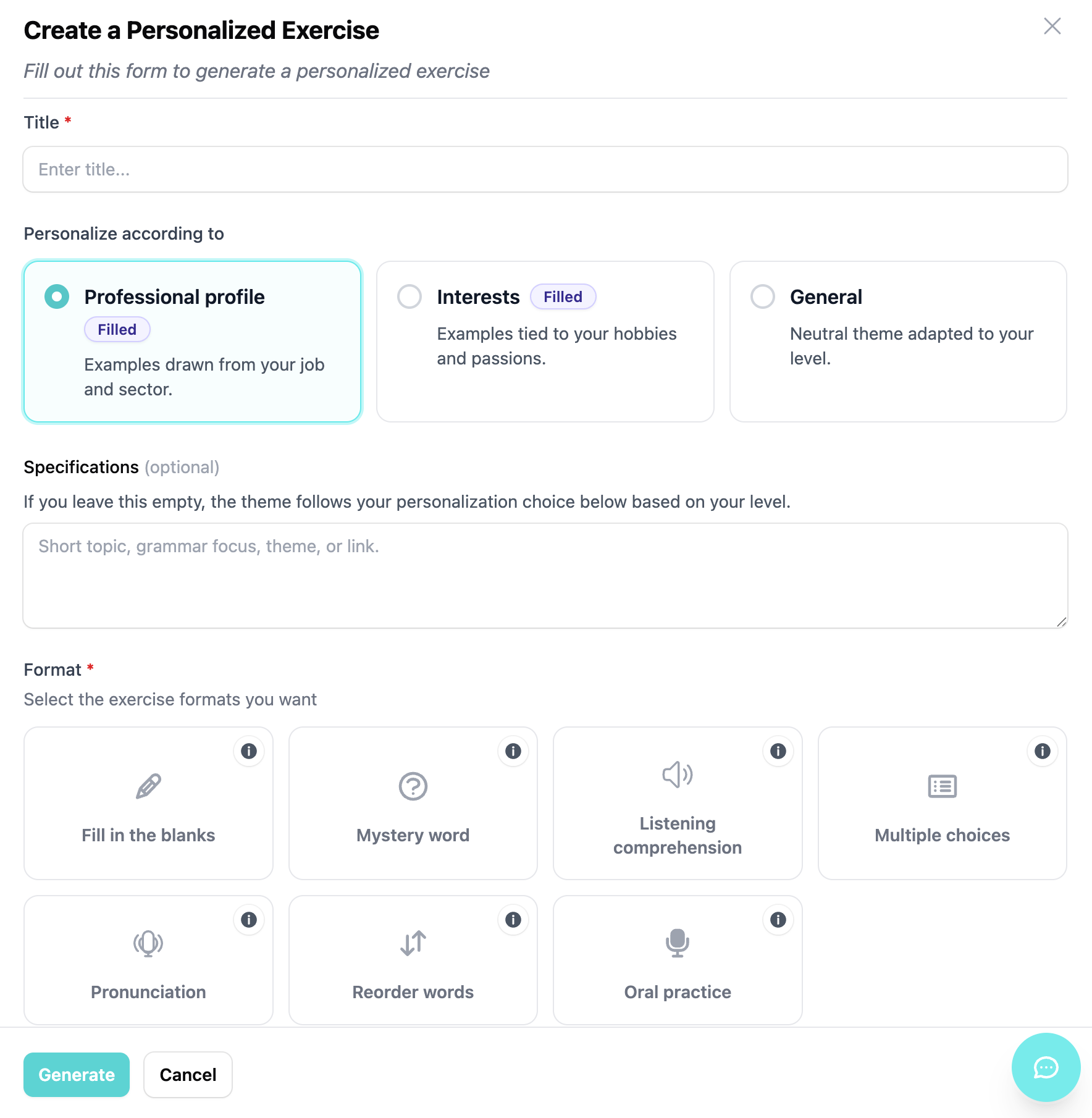
Personalized learning paths make learning easier by providing you with a roadmap and steps to follow. When creating a learning path, you can base it on your professional profile, your interests, or both, or you can set a more specific goal.
Each learning path consists of several steps, and each step includes lessons, personalized exercises, and a mini-test that you must pass (with a 50% passing score) to move on to the next step.
A great way to make progress without getting sidetracked!
Our conversational agents allow users to work on their speaking and writing skills at any time of day, without fear of judgment. But unlike other chatbots available on the market, they can generate exercises on demand, based on the ongoing conversation. It's a great way to revisit certain topics in depth.
To modify your profile, click on the “My Profile” tab in the top right corner, and select “Modify My Profile”. You will then gain access to different tabs where you can inform the AI of your professional field, your job position and your personal interests. Sapere will then offer you customized exercises based on this information.
A teacher can use Sapere during class, generating simulations or specific vocabulary to encourage conversation. However, they can also use it between classes to assign homework.
With Sapere, your teacher can create and assign you exercises based on your needs and your professional field as soon as you create your profile. They can also create hypothetical scenarios (based on your daily life or career) to improve oral expression and conversation.
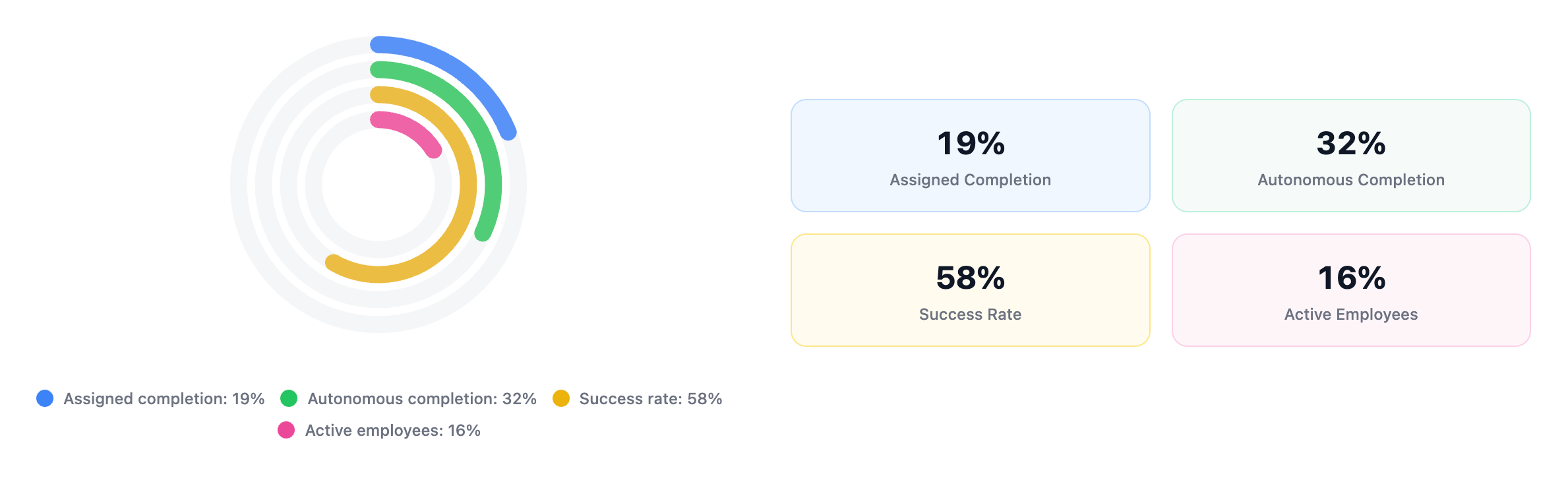
Once registered on Sapere, the human resources manager has access to a dashboard that consolidates data and statistics on completed exercises, as well as a list of employees using the platform. In this list, the manager can find: the employee’s name, email address, language being studied, proficiency level, and completion rate.
Yes, and we encourage it! Sapere was developed for educational purposes to enrich teachers’ teaching process, while preserving their intellectual integrity and professional autonomy. We wish for teachers to use Sapere to save time; time they can then allocate to their students.
With Sapere, teachers can generate high-quality personalized class material that motivates students. It is also possible to generate various exercises and assign them to one or many students, according to their language level and individual needs.
No; when you change your profile, it will inform our artificial intelligence to adapt future exercises and course content to these new changes. Old exercises will always be accessible for you to revisit and redo, in case you need a refresher on certain lessons.
We are currently working on prices that benefit teachers as well as establishments aiming to teach languages.
Sapere operates on a monthly or annual subscription system that offers unlimited access to the platform. Different plans are available depending on user profile (businesses, students, schools): to find out about pricing, visit our Plans page.
No matching questions found.
Try using different keywords or browse all questions.